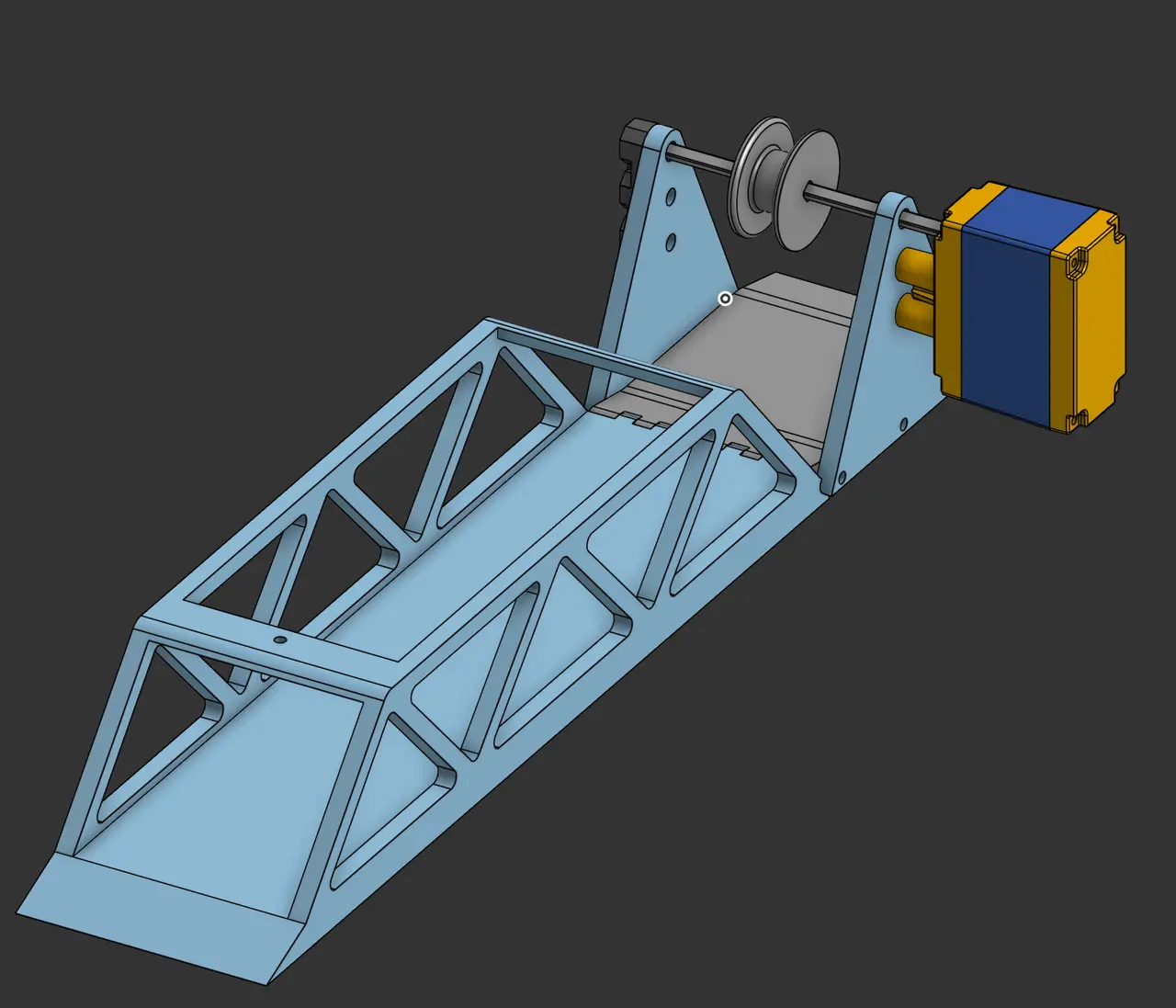
Automatic Drawbridge
por Jackson Farhat en Printables
I built this drawbridge as a fun way to learn about hinges and bridges in general.
Licencia
Uso comercial permitidoPuedes imprimirlo, modificarlo y venderlo sin pedir permiso ni dar crédito.
Al descargar aceptas respetar la licencia y dar crédito a Jackson Farhat.
Archivos (27)
- Side Plate.step STEP · 16 KB
- Motor Mount Plate.step STEP · 71 KB
- Pulley.step STEP · 36 KB
- Bridge.step STEP · 173 KB
- Bridge.stl STL · 241 KB
- Side Plate.stl STL · 82 KB
- Pulley.stl STL · 249 KB
- Motor Mount Plate.stl STL · 138 KB
- Bridge.stl STL · 237 KB
- Servo Mount (Right).stl STL · 71 KB
- Servo Mount.stl STL · 71 KB
- Bottom Plate.stl STL · 64 KB
- Top Plate.stl STL · 29 KB
- Top Bar.stl STL · 111 KB
- Thin Bar.stl STL · 72 KB
- Interface Piece.stl STL · 192 KB
- Bottom Ramp.stl STL · 68 KB
- Bottom Mount.stl STL · 62 KB
- Top Plate.step STEP · 11 KB
- Top Ramp.step STEP · 91 KB
- Bottom Plate.step STEP · 17 KB
- Motor Mount.step STEP · 28 KB
- Thin Bar.step STEP · 18 KB
- Interface Piece.step STEP · 73 KB
- Motor Mount (Right).step STEP · 28 KB
- Bottom Ramp.step STEP · 44 KB
- Bottom Mount.step STEP · 24 KB
- Categoría
- Educación
- Formatos
- STEP, STL
- Descargas
- 1
- Publicado
Sobre este modelo
I built this bridge in order to learn about different types of hinges and linkages. I made two types of bridge with two types of motors. The first bridge is a token drawbridge powered by a VEX EDR motor connected to a pulley, connected to the bridge. It pivots with a filament hinge. The second bridge is not really a drawbridge as it is a four-bar linkage, unlike a normal drawbridge. It isn't very practical but it is cool.
****For the Normal Bridge print 2 side plates.**** ****For the 4Bar print 2 Thin Bars and 2 Bottom Mounts.****
To assemble the first bridge you need some M3 screws to assemble the motor holder and the #6-32 screws used to mount the VEX EDR motors. You will also need a small VEX low-strength shaft to hold the pulley. Line up the bridge with the matching hinge on the motor mount and slide a piece of 3D-printing filament into the hole and through the other side. You can then cut the filament flush inside of the hole. After this, attach the string to the pulley and place it in the hole at the top of the bridge, place a screw in the hole after placing the string in it to hold it.
To assemble the other bridge, you will need M3 and M4/#8-32 (they are basically the same and nothing is pre-threaded) screws. You will also need an MG966r servo motor and its small horn set. The first step is to cut one side of the long horn off, resulting in a small arm that has one arm rather than two. After this, mount it to one of the thin arms on the side with the counterbore. Take the motor servo mount and screw your servo on to it with M3 screws (they are thru hole so use a long screw). Take the bottom plate and lightly screw the Top Bar and the two Thin Bars onto it (do not screw them in fully), do the same with the top plate. After doing this, in your code (you can make it any way you wish) set the servo and the bridge to the position that your bridge will be in the down position. Line up the motor mount with the screw holes, insert your servo into the attached horn and screw your mount into the bottom plate (you don't need to screw the servo horn into the servo). The motor mount screws are M3 and must be fully screwed in to hold tightly. You can now take a 5-wide and 2-wide VEX C-Channel and attach the Inteface Piece and Bottom Mounts to them. Add 2-3 screw+nuts on the inside of the channels to keep them from separating along the length of the ramp. After all this has been completed, you can attach the Bottom Ramp. Place the bridge along a roughly 1.5ft gap and it will connect the two sides when it is down. ****The Bridge can not go more than 90 degrees vertical when lifted.****
Descripción original del autor, publicada en Printables.