
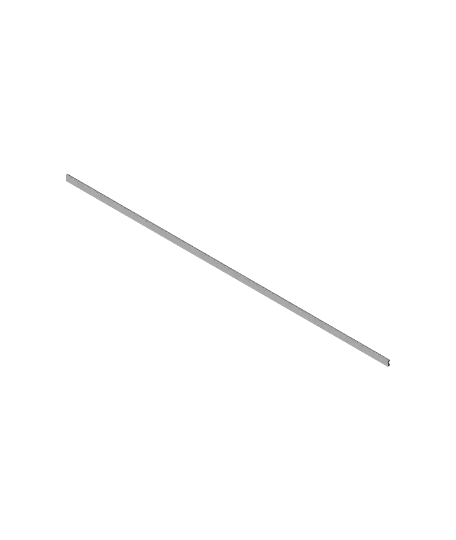
Anycubic Kobra Max Extrusion Channel Covers
This is a full set of extrusion channel covers for the Anycubic Kobra Max (for all upward facing channels). If you decide you want some for side-facing channels, you can always modify a piece by dropping it into Fusion 360 and extruding the end faces to get to the desired length. That's what I did s
Thangs entrega los archivos a usuarios con cuenta gratuita
Licencia
Solo uso personalSin licencia indicada
El autor no indicó una licencia: todos los derechos le pertenecen. Úsalo solo para imprimir en casa y consulta al autor para cualquier otro uso.
Al descargar aceptas respetar la licencia y dar crédito a belobig.
Archivos (19)
- 89 mm.stl STL · 3 KB
- 94 mm.stl STL · 3 KB
- 101 mm.stl STL · 3 KB
- 175 mm.stl STL · 3 KB
- 236 mm.stl STL · 3 KB
- 266 mm.stl STL · 3 KB
- 270 mm.stl STL · 3 KB
- 292 mm.stl STL · 3 KB
- 315 mm - 39.5x4.8 cutout.stl STL · 3 KB
- 315 mm.stl STL · 3 KB
- 439 mm.stl STL · 3 KB
- 10.5 mm.stl STL · 3 KB
- 11.5 mm.stl STL · 3 KB
- 18 mm.stl STL · 3 KB
- 28 mm.stl STL · 3 KB
- 48 mm.stl STL · 3 KB
- 61 mm.stl STL · 3 KB
- 63 mm.stl STL · 3 KB
- Anycubic Kobra Max Extrusion Channel Covers v8.stl STL · 53 KB
- Categoría
- Para tu impresora
- Formatos
- STL
- Descargas
- 224
- Publicado
Sobre este modelo
This is a full set of extrusion channel covers for the Anycubic Kobra Max (for all upward facing channels). If you decide you want some for side-facing channels, you can always modify a piece by dropping it into Fusion 360 and extruding the end faces to get to the desired length. That's what I did starting with the base 10mm segment from Vesh (https://www.thingiverse.com/Vesh) on Thingiverse: https://www.thingiverse.com/thing:4321670
This set includes one for the channel where the filament holder attaches, with a cutout to accommodate it (see image).
All pieces will fit on the bed if you lay them out diagonally, as shown in the image.
Here is a full list of part lengths, how many you need to print of each, and where they go: - 439mm x1 - 315mm x1 - 315mm w/ 39.5mm x 4.8mm cutout x1, for filament holder - 292mm x1 - 270mm x2 - 266mm x4 - 236mm x3 - 175mm x3 - 101mm x4 - 94mm x4 - 89mm x1 - 63mm x1 - 61mm x1 - 48mm x3 - 28mm x4 - 18mm x2 - 11.5mm x2 - 10.5mm x4
Total: 42 pieces - 439mm x1 - Very top rail - 315mm x1 - Left-front rail, inner channel - 315mm w/ 39.5mm x 4.8mm cutout x1, for filament holder - Left-front rail, outer channel - 292mm x1 - Right Y rail, right channel, from front to mid screw (no front screw in this channel) - 270mm x2 - Right-front rail, inner and outer channels - 266mm x4 - Left and right Y rails, from the mid screw to the rear screw, both channels - 236mm x3 - Left and right Y rails, from the front screw to the mid screw, for all channels except the far right one (see 292mm above) - 175mm x3 - Front-mid, and mid-mid rails (that go under the Y rails) - 101mm x4 - Left and right rear rails, after cable holder clips - 94mm x4 - 2 on Mid rail, left side; 1 on Front rail, left side; 1 on Rear rail, left side - 89mm x1 - Rear rail, right side - 63mm x1 - Rear rail, mid-left side (between left Y rail and Y motor) - 61mm x1 - Rear rail, mid-right side (between Y motor and right Y rail) - 48mm x3 - Y rails, left and right, from front to front screw (except for right channel on right Y rail) - 28mm x4 - Left and right rear rails, before cable holder clips - 18mm x2 - Mid rail, right side, from right Y rail to black tape - 11.5mm x2 - Top rail, between screws on left and right sides - 10.5mm x4 - Y rails, between mid screws on left and right sides
Also included is a file containing 1 of each piece.
Descripción original del autor, publicada en Thangs.



