
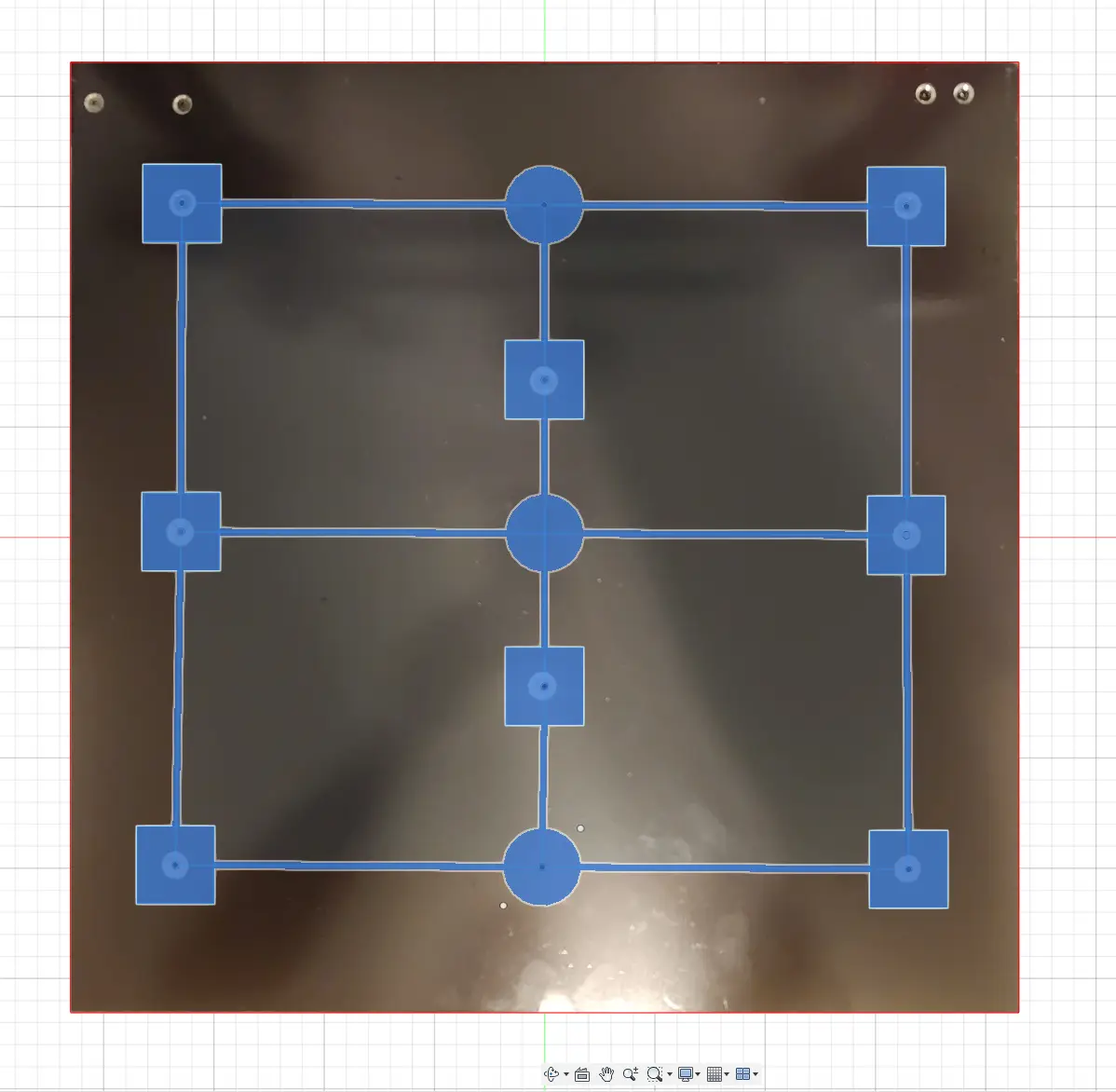
Anycubic Kobra 2 Max Bed Level First Layer Calibration Squares Aligned with Bed Screws and Brim Test
por FreshPrints en Printables
This model is perfectly aligned with your bed screws. To help you get that perfect first layer.
Licencia
Solo uso personalCC BY-NC-ND 4.0 — Atribución, no comercial, sin derivadas
Solo para uso personal, sin modificarlo y dando crédito. No se permite vender ni redistribuir cambios.
Al descargar aceptas respetar la licencia y dar crédito a FreshPrints.
Archivos (5)
- Categoría
- Para tu impresora
- Formatos
- 3MF, STL, GCODE
- Descargas
- 4,858
- Publicado
Sobre este modelo
This is to help you get that perfect first layer and determine where you need to make adjustments on your 430x430 bed. This will work with any 3D Printer. Just scale to size of your printer. The pattern was modeled after bed screws on Kobra 2 Max
Squares are bed screws. Circles are added points for extra reference.
- Run Brim test first to dial in your Z offset. This will save filament and time.
- Open as project for .3mf - If you have a different version printer and want to run this just select your printer in slicer and filament you want to test it on. And when prompted transfer settings. At the end discard settings.
- Second Pick the model of bed squares your bed is set to in slicer.
- Run this and check for low and high spots in bed. Try to find a happy medium between all square.
- Chasing perfection or extreme case if your bed is too far out and you can't find a happy medium for your first layer you can manually shim the bed.
- The two most popular methods are silicon mod and nylon mod will leave a link at the bottom in reference material to example video.
- Download The Anycubic Dial Indicator Mount and buy a dial caliper to help fix warped bed.
- Without Magnetic Base. https://a.co/d/7TKtYdp - With Magnetic Base. https://a.co/d/bUdZkjH
Pick the model of bed squares your bed is set to in Slicer. Here is how to find.
Prusa Slicer:
Anycubic Slicer:
Cura:
** 1. I recommend setting your bed to 430x430 to get the max build volume of your machine and it will also center all parts you slice in the future by default they are shifted in real life compared to the slicer software showing they are centered. 2. Another way to remedy this is to uncheck origan at center if your slicer if the slicer has this option available to you.
Reference Material:
Brim Test Explanation Video
How to Fine-Tune Z-Offset on a 3D Printer | ANYCUBIC 3D Printing – ANYCUBIC-US
Silicon Mod Video: Hack your Prusa - Revisit - Prusa Bed Leveling - Chris's Basement - 2022 Nylock Mod Video: Hack Your Prusa! - Prusa Bed Leveling - Chris's Basement
Descripción original del autor, publicada en Printables.



