
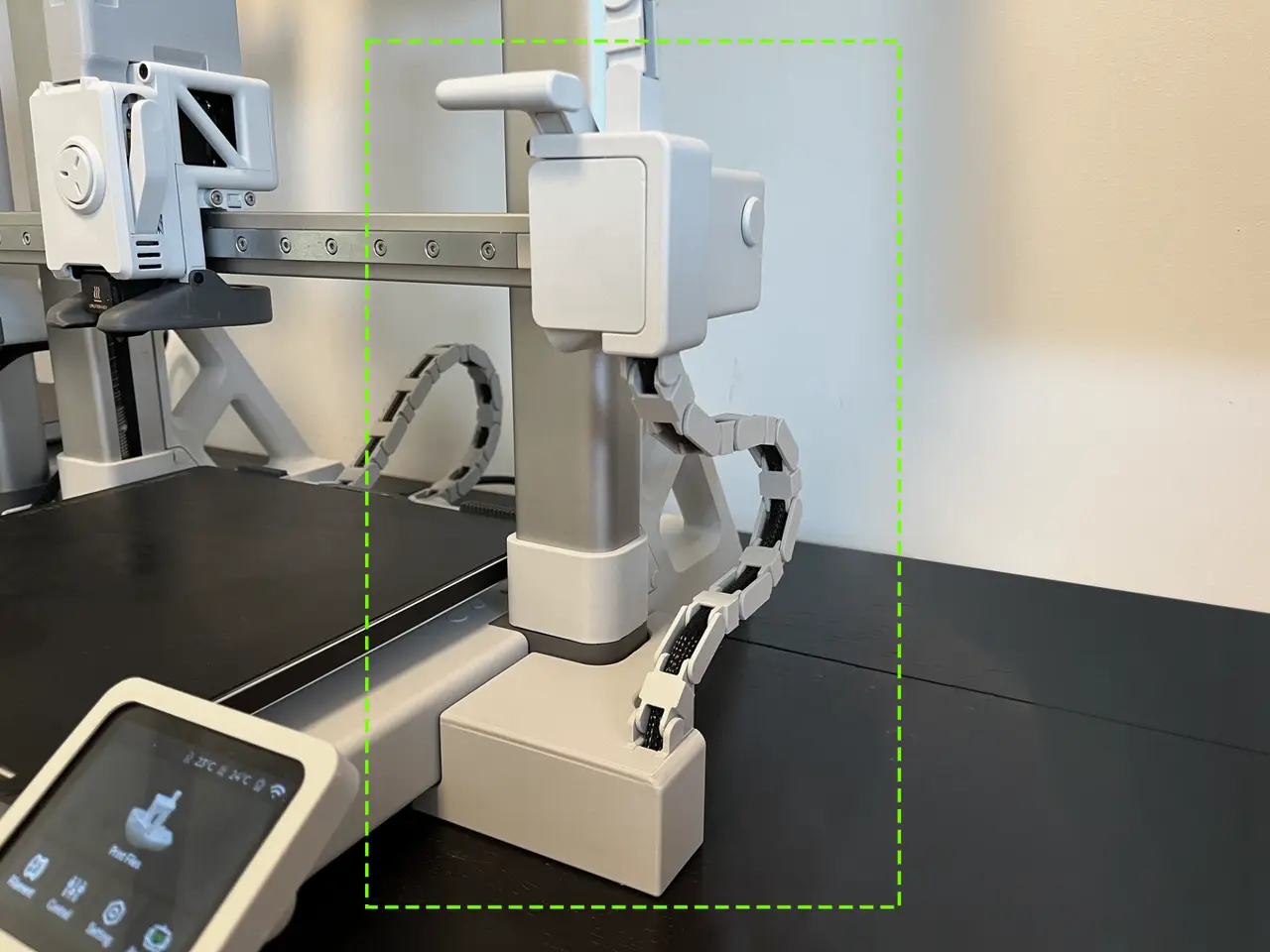
A1 Z-Axis Drag Chain (Cable Chain) - V2
por Arzhang Lotfi en MakerWorld
✨ Enjoy my designs? Please boost, like, and follow! Your support makes a big difference! ✨
MakerWorld entrega los archivos a usuarios con cuenta gratuita
Licencia
Solo uso personalStandard Digital File License
Licencia estándar de archivos digitales: solo uso personal. No se permite compartir, revender ni subir el archivo a otros sitios, ni vender las impresiones.
Al descargar aceptas respetar la licencia y dar crédito a Arzhang Lotfi.
- Categoría
- Para tu impresora
- Descargas
- 22,205
- Publicado
Sobre este modelo
✨ Enjoy my designs? Please boost, like, and follow! Your support makes a big difference! ✨ If you'd like to go further, you can buy me a coffee here: ☕ buymeacoffee.com/arzhanglotfi. Thank you! Boost MeIt's free fo you, and that's the only way I get reward for my work. X-Axis Drag Chain (hotend) - https://makerworld.com/en/models/766893 Y-Axis Drag Chain (heat bed) - https://makerworld.com/en/models/707408 Z-Axis Drag Chain (side) - https://makerworld.com/en/models/707695 A1 Z-Axis Drag Chain - V2 Please read carefully!
For the main part that connects on the x motor house, there is a version with a extruder cable chain connector and one without it.
ASSEMBLY:
- Bring the extruder to the lowest Z height.
- Click the side box into the grooves. You can use some double sided tape betweeen the box and the printer too.
- Close the back of the side box with the extra hinge part.
- Bring the extruder to max Z height.
- Add the main part to the motor house. Slide it from the right then add scews. 4 pieces of M3 (min 5 max 12mm) You can srew on the bottom part first if its easyer for you. Also here you can add the first link since its easyer to snap before tightening the screw fully.
- IMPORTANT: Start assembling the links from the TOP while straithening the cable until you reach the bottom. The links direction must be alternating to hold the cable and to have a good curvature at the end. Use all (min 13) links but if you need more lenght you can just print individual links.
- Test if the bending of cable is good.
- ENJOY!
I Printed this with Bambu Lab - PLA Basic - Light Grey (Same color as printer main body)
✨ Enjoy my designs? Please boost, like, and follow! Your support makes a big difference! ✨ If you'd like to go further, you can buy me a coffee here: ☕ buymeacoffee.com/arzhanglotfi. Thank you! Boost MeIt's free fo you, and that's the only way I get reward for my work.
Descripción original del autor, publicada en MakerWorld.



