
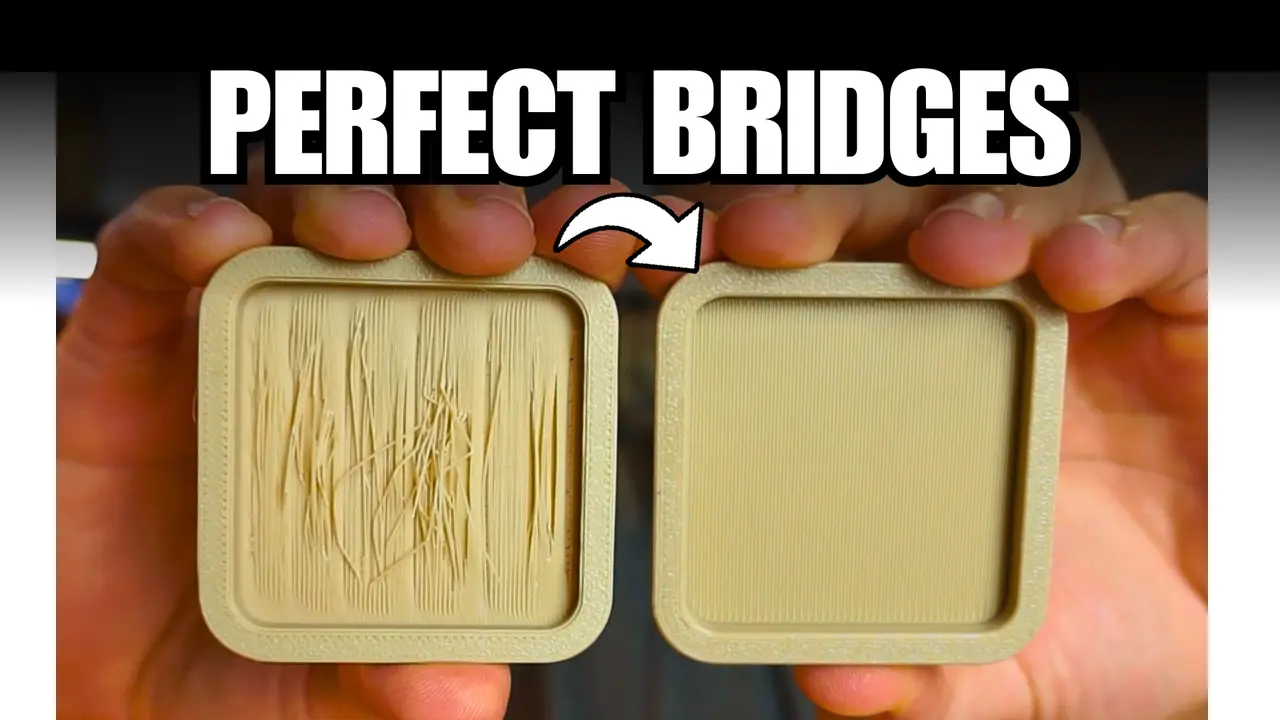
3D Printing Bridge Calibration Test (Basic & Advanced)
por Iker Libano | KNIN Custom en Printables
Two test models to calibrate bridge flow and speed in your slicer. Use them to find the perfect settings for unsupported
Licencia
Uso comercial permitidoPuedes imprimirlo, modificarlo y venderlo sin pedir permiso ni dar crédito.
Al descargar aceptas respetar la licencia y dar crédito a Iker Libano | KNIN Custom.
- Categoría
- Para tu impresora
- Formatos
- STL
- Descargas
- 18,264
- Publicado
Sobre este modelo
🎥 Watch the video tutorial In the video, I explain: -How bridge flow and speed affect the print. -Why more flow gives smoother results. -How to tune these settings in OrcaSlicer. -How to combine this with Tree Supports → “Critical regions only” to skip supports in bridges automatically. 🧩 About this model This is a bridge calibration test designed to help you fine-tune the flow, speed, and cooling parameters of your 3D printer for perfect bridges — no supports needed. You’ll find two STL files included: BRIDGE CALIBRATION.stl → Simple version for short bridges (perfect for initial tests). ADVANCED BRIDGE CALIBRATION.stl → To push your settings further. Both files let you test different Bridge Flow Ratios (1.0 / 1.5 / 2.0) and Bridge Speeds (25 / 15 / 10 mm/s). You can print them one after another and easily see which combination gives the best results on your printer. 🔧 Recommended settings ParameterSuggested values Flow150 – 200 % Speed10 – 15 mm/s Fan100 % Layer height0.2 mm MaterialPLA (recommended) Nozzle0.4–0.6 mm These values are what worked best for me on a FlashForge AD5X with a 0.6 mm nozzle. 🧠 Why this test matters Most slicers are tuned for printing on solid layers, but bridges behave differently — there’s nothing underneath, so the filament doesn’t get squished or widen as usual. That’s why increasing the bridge flow often gives better results: wider lines that touch each other and stay straight in the air. Combining that with lower speed and maximum cooling produces clean, smooth bridges without sagging. 💡 Notes You can download both STLs and print them separately. For faster comparisons, print at 1 wall / 10 % infill. Share your results — I’d love to see how your bridges turn out! 🌐 More resources 📘 Complete Fusion 360 Course (in Spanish): 👉 https://knincustom.com/pages/cursos 📺 Find us on YouTube: 👉 https://www.youtube.com/@KNIN_Custom
Descripción original del autor, publicada en Printables.



